3.9. Data Sources Connection
If you are using a Virtual Machine, remove the IPv6 Internet Protocol setting from the network adaptor settings.
Reasons to use data levels 1, 2
1) Level 1 data must be connected for Footprint, Footer, and Market Speed indicators.
Level 1 data definition:
Level 1 data is the most basic market data available for a traded instrument ticket. It includes the best bid price, best ask price, last traded price, and order size volume. This data essentially provides information on aggressive market participants' participation without detailed information about the order book depth, unlike Level 2 data, which provides more granular details about passive buy and passive sell orders at various price levels.
2) Level 2 data must be connected for all data level 2 indicators, for example, Live Dom, Past Dom, Heat Map, Pulling and Stacking, BookMap NT, and Delta Level 2.
Level 2 Data Definition:
Level 2 data provides access to detailed market information, often referred to as an "order book," which displays the limit orders of passive participants waiting to be triggered by price. Level 2 Data provides insights into market depth, liquidity, and potential price movements, allowing traders to see beyond the best bid and ask prices and understand the market sentiment by viewing the volume of orders at each price point or level.
Data LEVEL 2 Market Depth Exchanges:
What exchange should you subscribe to get data Level 2 (Market Depth) for the instruments you are trading? Here is a short list.
CME
Equity Indexes
EMD E-MINI MIDCAP FUTURES
ES E-MINI S&P 500 FUTURES
MES MICRO S&P 500 FUTURES
NQ E-MINI NASDAQ 100 FUTURES
MNQ MICRO NASDAQ 100 FUTURES
RTY E-MINI RUSSELL 2000
M2K MICRO RUSSELL 2000
CBOT
Equity Indexes
YM E-MINI DOW JONES INDEX
MYM MICRO E-MINI DOW JONES INDEX
COMEX
Metals
GC COMEX 100 GOLD FUTURES
QO E-MINI GOLD FUTURES 1.
MGC 10 TROY OZ GOLD FUTURES
HG COMEX COPPER FUTURES
MHG MICRO COPPER FUTURES
QI COMEX MINY SILVER FUTURES
SI COMEX 5000 SILVER FUTURES
NYMEX
Energies
CL CRUDE OIL FUTURES
QM E-MINI CRUDE OIL FUTURES
MCL MICRO CRUDE OIL FUTURES
HO NY HARBOR ULSD FUT
NG NATURAL GAS HENRY HUB FUTURES
QG E-MINI NATURAL GAS FUTURES
For the complete list, please visit https://ninjatrader.com/pdf/ninjatrader_futures_commissions.pdf
3) MBO data is a part of Data Level 1 = Market By Order data:
MBO Data definition:
Market by Order (MBO) refers to an order-based data feed that enables users to view individual queue positions, the full depth of the book, and the size of individual orders at each price level. This is the highest-granularity data available.
HOW TO CONNECT DATA LEVEL 1 2 MBO:
NinjaTrader Pre Requirements for Data 1 2 MBO :
Before getting any data feed to NinjaTrader, please make NinjaTrader capable of accepting any data sources:
NinjaTrader Pre-requirements:
- Checkmark Multi-provider: Tools/ Options/General/ Properties: Checkmark Multi-provider
- Checkmark Show Tick Replay: Tools/ Options/General/ Properties: Checkmark Show Tick Replay
2 DATA SOURCES:
1) Data from NinjaTrading brokerage:
Yes, you can use NinjaTrader brokerage for data. You must learn the limitations of NinjaTrader brokerage on your own. Their data is limited and expensive.
- The NinjaTrader CME data source provides only 20 price levels for Level 2 data, which is insufficient for small time frames and scalping or day trading. Please contact the NinjaTrader Help desk or speak with them on your phone to clarify any questions about their data feeds limitations and advantages.
How to get 400+ price levels for Data Level 2 and MBO Data:
Connect with any prop firm that uses the NinjaTrader platform and Data by Rithmic.
It may cost only $15 for Rithmic Data Level 1 and $14 for Data Level 2 from CME
NOTE: The main advantage of using the NinjaTrader platform in the first place, compared to any other trading platform:
- The primary reason to use NinjaTrader is to reduce commissions on orders.
- Secondly, we use NinjaTrader because NinjaTrader offers the best open platform for the most potent data-based volume indicators, as well as a set of trading tools developed by the NinjaTrader community.
2) Data from Rithmic as data provider
The best and most accurate data we currently have is from Rithmic. Rithmic provides more price levels up and down - bid and ask than any other source we know of so far.
- Rithmic itself sells Rithmic Data. Start as an Individual and not as a Professional (expensive).
- Prop firms sell Rithmic Data. Less expensive.
If you have a Free Version of NinjaTrader and want to access data as quickly as possible, consider obtaining data through Prop Firms. We do not promote any prop firms and do not receive commissions from any prop firms' referrals.
Instruments to trade with Rithmic:
- Rithmic provides data for CME instruments. Visit CME to learn what instruments you can trade with Rithmic.
- Instruments outside of CME can be provided with Rithmic through Interactive Brokerage.
How to Get Rithmic from Prop Firms
This is especially true if you have the Free NinjaTrader platform:
Steps to get Rithmic via prop firms:
If you want to get rithmic via prop firms, you should
a) Subscribe to their cheapest discounted plan first. Please search Google for coupons. Never ever pay prop firms without an 80% - 90% discount.
b) Second, within your prop account, purchase the necessary data: Level 1, Level 2, or both. Level 2 data named as Market Depth , such as CME $14 to trade ES and NQ.
- Why don't they sell Data Level 3? Rithmic Data Level 3 is not sold separately and comes with Data Level 1. When you purchase Rithmic Data Level 1, you also receive MBO Data as part of the package.
IT is imperative that you follow their instructions for first-time Rithmic connections on this page: https://bulenox.com/help/connection/#registration
Do not skip this step: If you never got Rithmic from Bulenox before, and it is your first time, Bulenox requires you to
1) Download the Rithmic App and
2) Agree with Rithmic Terms and Conditions as an Individual (NOT a professional) according to Chapter Connection on this page: https://bulenox.com/help/connection/#registration, must read and follow exactly as they ask you here.
Server selection from the list. If you are using Apex - select Apex. If you are using Bulenox or another prop firm and you are in the USA or Canada, select Chicago Paper Trading. If you are NOT in the US or Canada, send a request to the propfirm and ask them which server you should select for your geographic location.
Ask them (your prop firm) for instructions on how to connect their data feed to the NinjaTrader platform, and they will guide you.
How to connect a data feed to your NinjaTrader:
NinjaTrader provides a way to connect Rithmic via Prop Firms such as Apex or Bulenox, and many others.
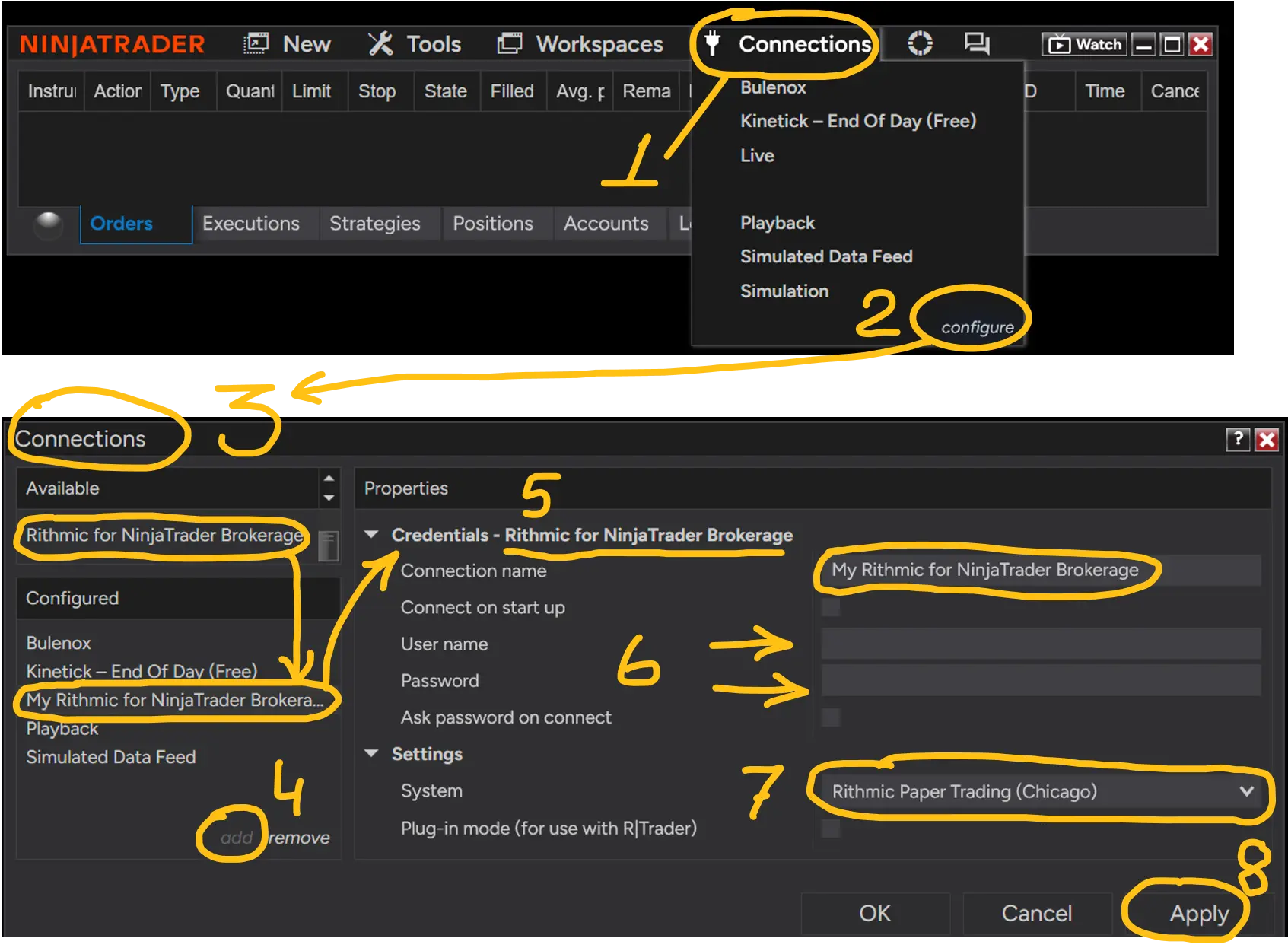
On the Ninja Administrative window, you can use Rithmic for NinjaTrader Brokerage connection: It is located in the admin window / Connection/ Configure
If you don't see Rithmic for NinjaTrader Brokerage connection, you may have forgotten to turn on Multi-Provider in Ninja.
I hope you have already set Multi-provider properties of the NT8 platform:
- Checkmark Multi-provider: Tools/ Options/General/ Properties: Checkmark Multi-provider
- Checkmark Show Tick Replay: Tools/ Options/General/ Properties: Checkmark Show Tick Replay
Configure Connection Settings:
- If you have Pack 1-2-3 and don't have Pack 4, use Rithmic for NinjaTrader Brokerage connection.
- If you have Pack 4 MBO indicators, please use the "BOF MBO Rithmic" connection.
1) Open the Administrative NinjaTrader window.
2) Select Connection to proceed with the Connection configuration.
2) From the list of available connections, add NinjaTrader Brokerage to the list below.
3) Select NinjaTrader Brokerage to configure the settings properties:
a) Enter the username and password. Username or email (if the email address is the username used to sign up for Rithmic data).
b) Set geolocation:
Select a geolocation from the list of geolocations close to your country's region. For example, Rithmic Paper Trading (Chicago) is the nearest server for the USA. Selecting an incorrect geolocation may result in a delay in data connection.
c) Use the 'Rithmic Paper Trading' connection. Yes, you're getting real data with Paper Trading.
Select Correct Server to connect:
Please follow Bulenox recommendations under Rithmic Connection chapter here https://bulenox.com/help/connection/#registration
Slow charts on the MBO indicator?
- Please connect to the closest server possible: Select Rithmic Paper Trading (Chicago) if you are in the United States.
- If you are in another country, select the Rithmic Paper Trading server name that is closer to your geographic location.
The company that provides you with Data Level 1 and Data Level 2 should send you a guide on how to properly connect with that data source. Request that information from your data provider company or a prop firm instead of asking BOF Admin support.
How to add a connection for Data level 1 and Data level 2:
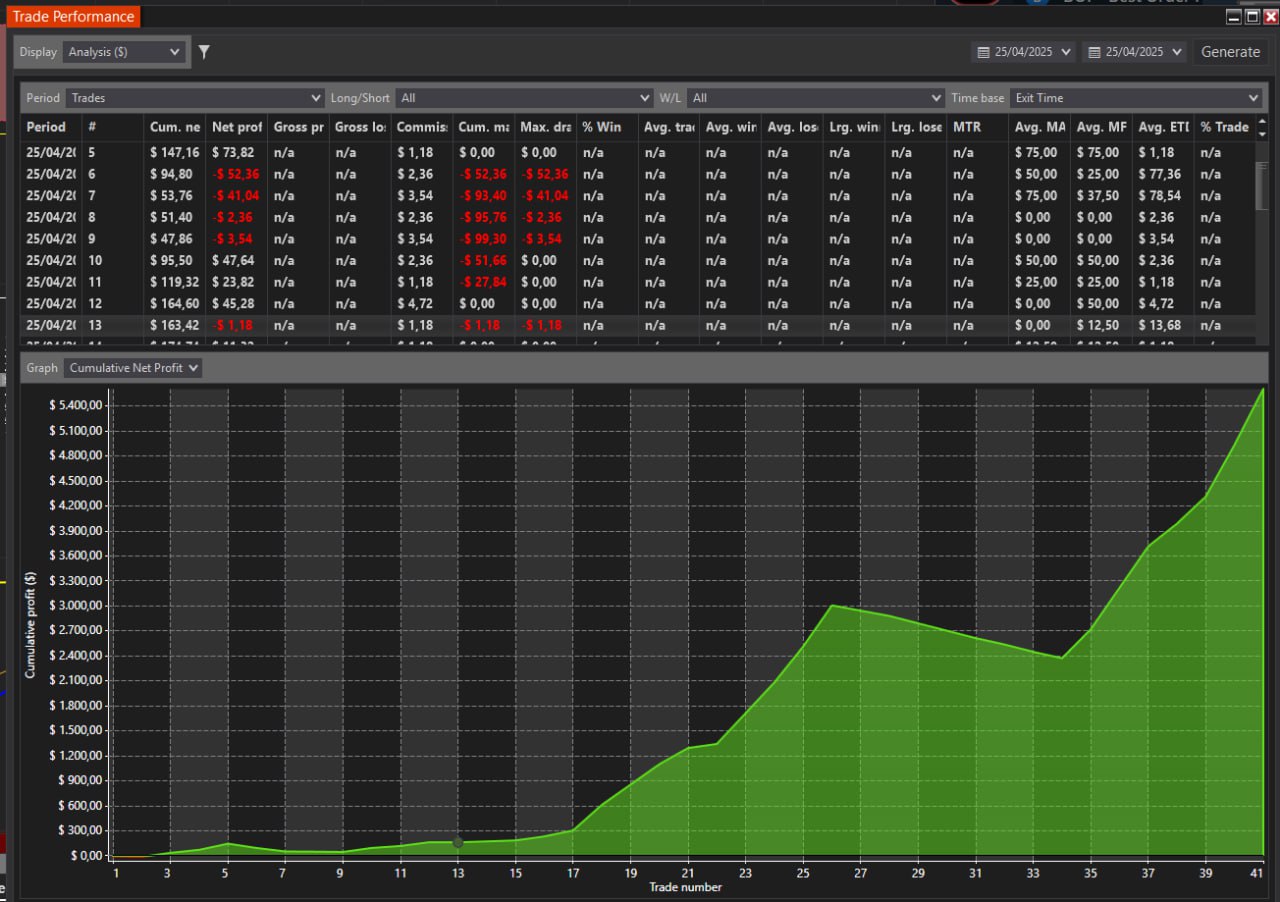
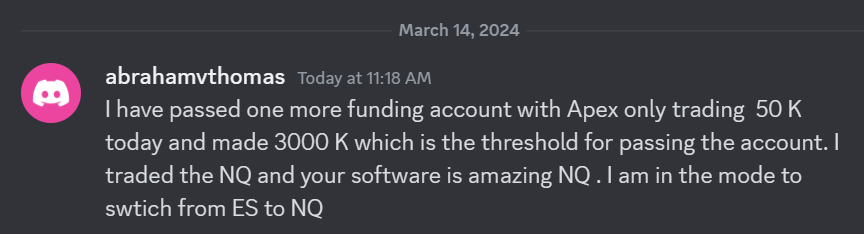 I have passed one more funding account with Apex Trading today and made $3,000, which is the threshold for passing the account. I traded NQ, and the Bestorderflow indicators are excellent for passing props.